

Tecnologia
Iniciante
Gratuito
MS Project: Gestione Progetti
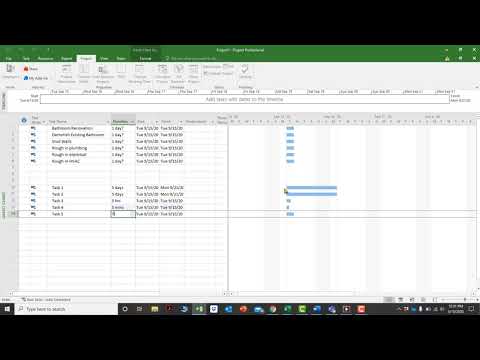
MS Project: Gestione Progetti — corso video gratuito e completo con 39 lezioni.
Instrutor
rafael costa franco
0.00(0 avaliações)
0 alunos já estão estudandoaulas
39
de conteúdo
0m
Nível
Iniciante
Idioma
it-IT
O que está incluso
39 aulas
0m de conteúdo
Tutor IA durante todas as aulas
Certificado verificável ao concluir
Acesso vitalício aos materiais
Comunidade e discussões
Conteúdo programático
1 · 39 aulas
01MS Project Tutorial 1 Introduction
02MS Project Tutorial 2 Basics on setup and calendars
03MS Project Tutorial 3 How to Maneuver Screens and Tables
04MS Project Tutorial 4 How to apply Resources & Costs to a schedule
05MS Project Tutorial 5 How to Update a Schedule
06MS Project Tutorial 6 Recovering a Schedule
07MS Project Tutorial 7 Inserting Changes Into a Project Schedule using MS Project
08MS Project Tutorial 8 File Naming Protocols for effective tracking in MS Project
09Three ways to avoid open ends and avoid costly scheduling errors. MS Project Tutorial 9
10MS Project Made Easy Tutorial 1, Project Manage any Project Using MS Project.Learn Learn the Basics
11MS Project Made Easy Tutorial 2: Calendars, 5 Things you need to know about making Project Calendars
12MS Project Made Easy Tutorial 3 5 Things To Make Your Schedules and Projects Run More Professionally
138 Things & More on How to Add Resources and Costs to Your Project, MS Project Made Easy Tutorial 4
14MS Project Made Easy Tutorial 5, How to Sort, Filter, and Highlight to Better Manage Your Projects
15MS Project Made Easy Tutorial 6, How To Update A Schedule
16How to Update & Revise a Project Schedule, MS Project Made Easy Tutorial 7
17Update and Insert Changes Into Your Project? MS Project Made Easy Tutorial #8
18Make professional presentations with timeline, customize the time scale MS Project Made Easy #9
19Learn Work, Units, Duration, Cost & Effort Driven Schedule to Succeed, MS Project Tutorial #10
20How to set a BASELINE in your MS Project Schedule. Tutorial #13
21Learn to Create a Master Project File in MS Project, you can view/edit all your projects in one file
22Learn How to Create a Resource Pool Using MS Project Tutorial #16 Microsoft Project Made Easy
23How to Make a Hammock Activity in MS Project, MS Project Made Easy Tutorial #18
24Learn how to create & track resources by Length, Area, & Volume in MS Project. Tutorial #19
25Learn how to apply Buffers in MS Project to improve your PM skills, MS Project Made Easy 20
26Learn 3 Ways to create a cash flow report & S curve in MS Project. MS Project Made Easy Tutorial 21
27Watch this before purchasing MS Project Professional, learn what this PM software can do for you.
28Learn how to level resource over-overallocations in MS Project, MS Project Made Easy Tutorial #23
29Learn why and how to make templates in Microsoft Project. Tutorial #24 MS Project Made Easy
30Learn how to customize and format your project in Microsoft Project, Microsoft Project Made Easy
31Learn everything you wanted to know about tasks and task types used in MS Project.
32How to update and solve update problems in MS Project Made Easy, this video answers viewer questions
33LEARN HOW TO CREATE A WORK BREAKDOWN STRUCTURE (WBS) FOR CONSTRUCTION PROJECTS, MS PROJECT MADE EASY
34MS PROJECT MADE EASY, HOW TO CUSTOMIZE TEXT ON THE GANTT, REMOVE COSTS IN TEXT, & ADD DEADLINES
35How & Why to set Multiple Baselines & Baseline your changes so you can actually track changes
36YOUR QUESTIONS ANSWERED ON THE CRITICAL PATH METHOD IN THIS VIDEO OF MS PROJECT MADE EASY
37ENSURE QUALITY, CREATE A CHECKLIST BEFORE BASELINING YOUR SCHEDULE IN MS PROJECT
38MS PROJECT: LINK PROJECT DOCUMENTS, DRAWINGS, AND PHOTOS TO YOUR MS PROJECT FILE FOR FAST ACCESS
39MS PROJECT: SAVE TIME CREATING SHORTCUTS RECORDING MACROS 2 CLICKS CAN SAVE 20 PLUS CLICKS
Avaliações
0.00(0)
Matricule-se neste curso para deixar sua avaliação.