

Design
Iniciante
Gratuito
Krita (Digital Painting)
Krita (Digital Painting) — free, complete video course with 45 lessons.
Instrutor
rafael costa franco
0.00(0 avaliações)
0 alunos já estão estudandoaulas
45
de conteúdo
0m
Nível
Iniciante
Idioma
en-US
O que está incluso
45 aulas
0m de conteúdo
Tutor IA durante todas as aulas
Certificado verificável ao concluir
Acesso vitalício aos materiais
Comunidade e discussões
Conteúdo programático
1 · 45 aulas
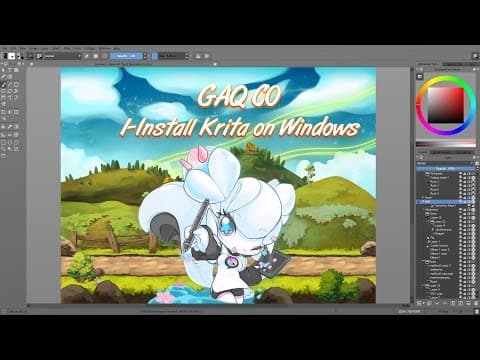
01How to Install Krita on Windows
02Troubleshooting common issues in Krita
03How to take the most out of these Krita tutorials
04Your Krita learning toolbox
05Introduction to graphic tablets
06How to setup a wacom tablet with Krita
07Picasa - a free program to organize your reference images
08PureRef tutorial: a free, cross-platform virtual board for artists!
09Quickstart Guide Intro
10Krita tutorial: getting to know the UI
11Navigation on the canvas in Krita
12Painting with the freehand brush tool
13Working with the selection tools in Krita
14Krita layers tutorial: introduction to the layers docker
15Krita's pop up palette and color picker
16What’s New in Krita 3: Krita Review
17Krita brushes tutorial - How to use the color mixing brushes
18Free Krita Brushes for Game Artists
19Overview of the game asset creation process in Krita
20Krita's Fill tool: fill outlines and selections
21Create your own keyboard shortcuts in Krita
22Move and Transform your selections in Krita
23Instant Preview: new rendering engine in Krita 3
24Intro to grid, guides and snapping in Krita
25How to use the Grid in Krita 3
26How to use the Guides in Krita 3
27Overview of snapping in Krita 3
28How to make a comic strip layout in Krita 3 - part 1
29How to make a comic strip layout in Krita 3 - part 2
30Layers in Krita 3: Overview of the new features
31Layers in Krita 3: Color tags
32Customize your Keyboard Shortcuts in Krita
33The game asset workflow: Concept 1 - Learning
34How to block in a game sprite in Krita
353 techniques for game asset blocking in Krita
36Refining the game asset in Krita
37Polishing a game sprite with Krita
38Krita tutorial: Understanding Krita's blending modes
39Krita tutorial: How to paint in symmetry
40Krita tutorial: Draw tiling patterns with the wrap around mode
41New features in Krita 3.0.1
42Krita tutorial: How to use the perspective transform mode
43Krita tutorial: How to use the warp and cage transform for concept art
44Krita tutorial: Sculpt your assets with the liquify transform
45Krita tutorial: 4 useful filters
Avaliações
0.00(0)
Matricule-se neste curso para deixar sua avaliação.